Philippine Passport appointment online । Philippine Passport Application For New, Renewal, Lost Methode
Today through this post you will know how to apply for Philippine
Passport (New, Renewal, Lost). Let us start step by step 1. First
launch any browser on your mobile/computer. And type
www.passport.gov.ph in the
search bar

2. Then click on Schedule an Appointment option following the image
above.

Start Individual Appointment button.

appointment form and click on the next button.
 |
| Site Location |
minutes, but select the date by excluding the red cells.
 |
| Date and Time |
Then select the date and time, enter the Captcha below and click on
the next button.
6. Then click next button with personal information. Fill up your
personal information.
 |
| Personal Information |
7. Click on next button with family information.Then fill up all
fields.
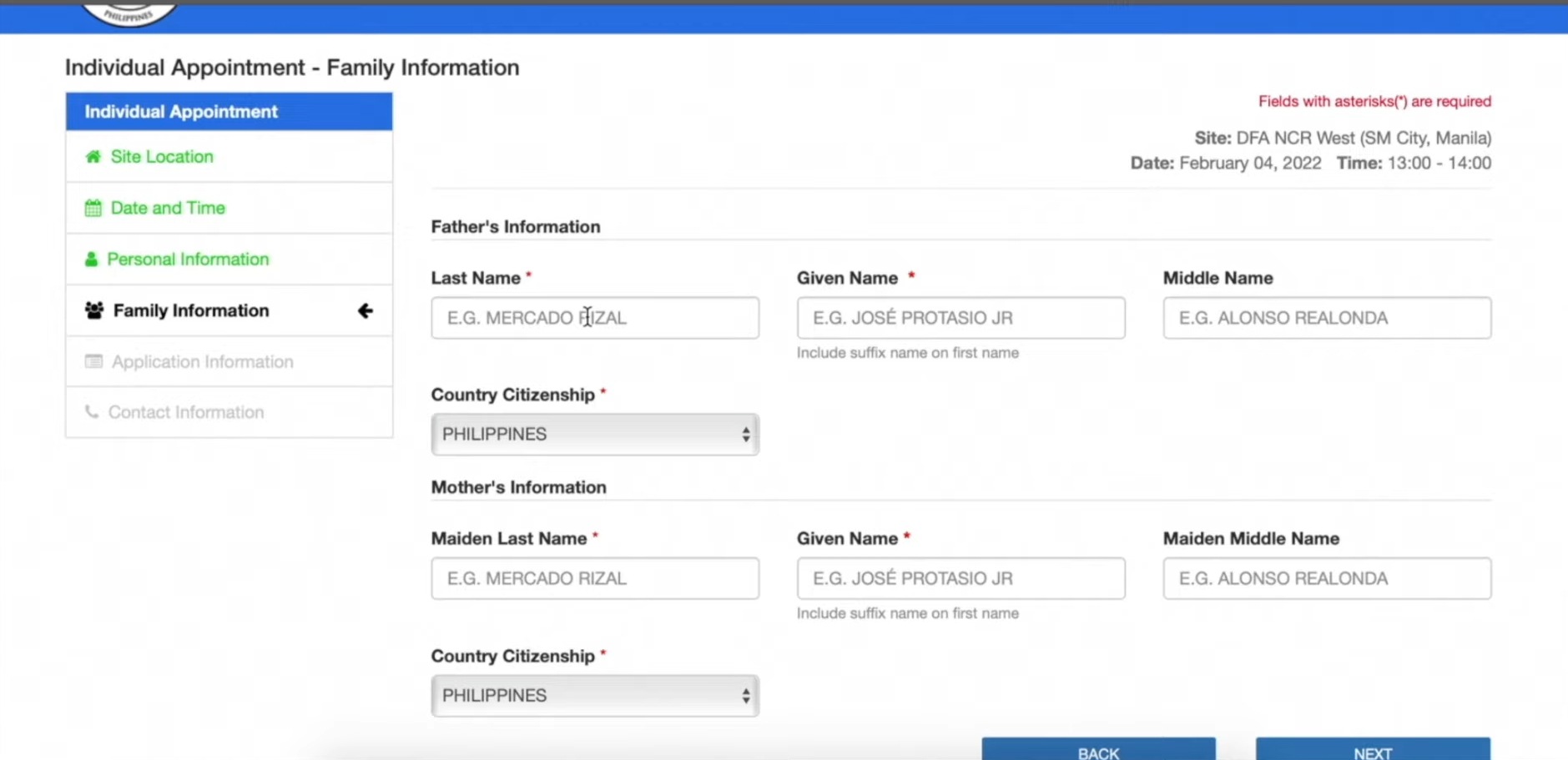 |
| Family Information |
Lost).
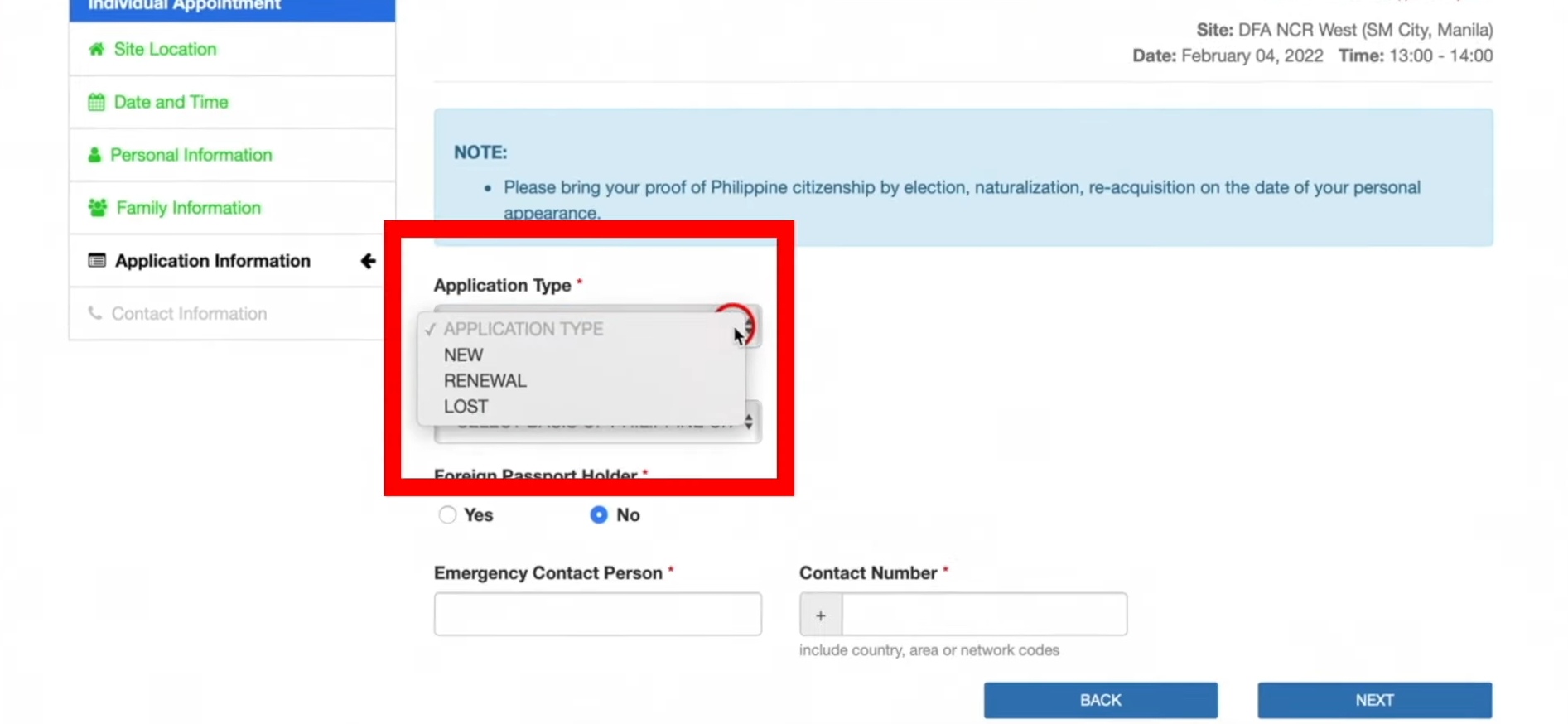 |
| Application Information |
then select it from the type of application.
 |
| Contact Information |
click save button.
 |
| Verify Information |
Payment
- Regular Processing: All offices will take 12 working
days. - Special Processing: 6 Working Days for Aseana and Consular
Offices within Metro Manila 7 Working Days for Consular
Offices outside Metro Manila
11. Then select payment method and click on Pay Now button.
 |
| Payment Methode |
 |
| Payment With Fee |
 |
| Application Form |